Product export
Export products from WordPress (Products → Export) to retrieve references, names, prices and product URLs.
WooCommerce + price intelligence
Export your WooCommerce catalogue as CSV, link competitor URLs and track price gaps from one dashboard.
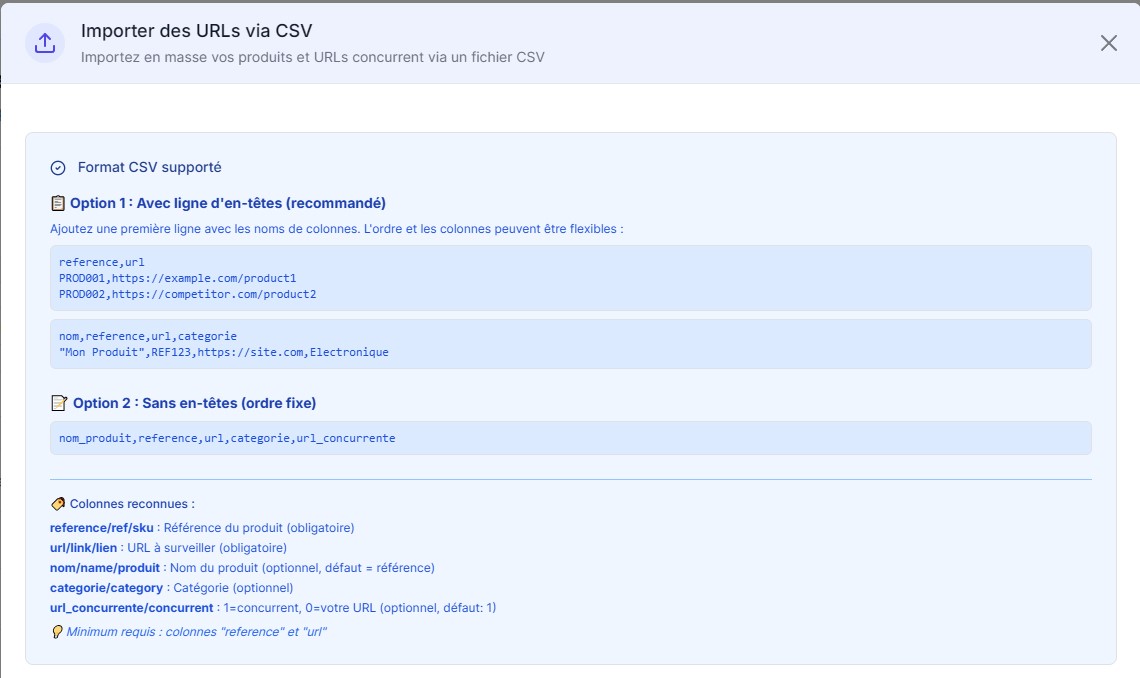
WooCommerce price monitoring means exporting your catalogue from WordPress, selecting priority products, linking the matching competitor pages and automatically tracking price gaps in Competiprice.
Competiprice replaces scattered spreadsheets: every product retains its competitors, price history and alerts.
Export products from WordPress (Products → Export) to retrieve references, names, prices and product URLs.
Add the competitor pages to monitor for each product, with a clear view of active URLs.
Receive important changes without manually checking every competitor site.
A clean database prevents duplicates and makes alerts more reliable from the first observations.
These fields in WooCommerce's CSV export identify each product and compare your price with competitor observations.
Add your product URLs and exact competitor URLs to avoid overly broad comparisons.
Start with high-margin, fast-moving or highly competitive products.
Set-up
This WooCommerce workflow is designed for merchants who want to track competitor prices without building a complex integration or installing another extension.
WooCommerce is your catalogue starting point; the other pages cover monitoring and action.
Define products, competitors and goals before importing.
Read changes and prioritise products to monitor.
Receive important changes after scheduled checks.
No. Start with a CSV export of your products and add competitor URLs. There is no extension to install on WordPress.
In WordPress, open Products and select Export. The generated CSV contains the fields needed for monitoring.
Yes. Priority products are the best starting point before expanding the monitored volume.
Quick set-up
Begin with the free Discovery plan, with no credit card required, then increase volume once monitoring is in place.