Imagine you sell a pair of headphones for €99. A competitor listed them at €105 yesterday and now charges €95. Before your morning trading meeting, ask your agent, “Which competitors dropped below my price since yesterday? Show me the previous price, the new price, when it was checked and the link.” The headphones would appear in this example because the competitor moved from above your price to below it.
The Competiprice MCP (Model Context Protocol) connector gives Claude, Codex and other compatible agents access to the observations recorded in your Competiprice account. The timestamp tells you when Competiprice last checked the offer. A newly added URL starts collecting observations on your account’s monitoring schedule.
Seven ways to look up monitoring data
| What to ask for | What your agent can retrieve |
|---|---|
| List monitored products | Catalog entries, references, product IDs and URL counts, including products that have no URLs yet. |
| Compare offers for a product | Find your offer and competing offers by name, reference or EAN. See prices, availability, links and the time of the latest observation. |
| Find price changes | Rises, drops and offers that crossed below your price. Filter by date, domain or percentage change. |
| Get product history | Chronological observations for one ID, a list of IDs or the entire catalog with the * wildcard, within your plan’s history window. |
| List alert rules | The rules you have set up, the URLs they apply to and the thresholds that trigger them. |
| Review triggered alerts | Events recorded during the period, with the URL and the values observed when the alert fired. |
| Export statistics | A paginated CSV or JSON export covering the summary, catalog, per-product and per-URL statistics, observations, price changes, alert rules, alert events and daily usage. Detailed sections follow the read permissions you grant. |
Six actions you can take from a conversation
After spotting a price drop, try “On this competitor URL, create an alert for the next price drop of at least 5%.” Granting the agent permission to create alerts lets it save that rule. Deleting rules has its own switch.
- Products. Create a product with its name and reference, or delete a specific product and its monitoring data.
- URLs. Add a competitor page to an existing product, or remove a URL along with its history. Removing the last URL keeps the product in your catalog.
- Alerts. Create or delete a rule for a price drop, a price rise, a target price, a competitor crossing below your price or a stock change.
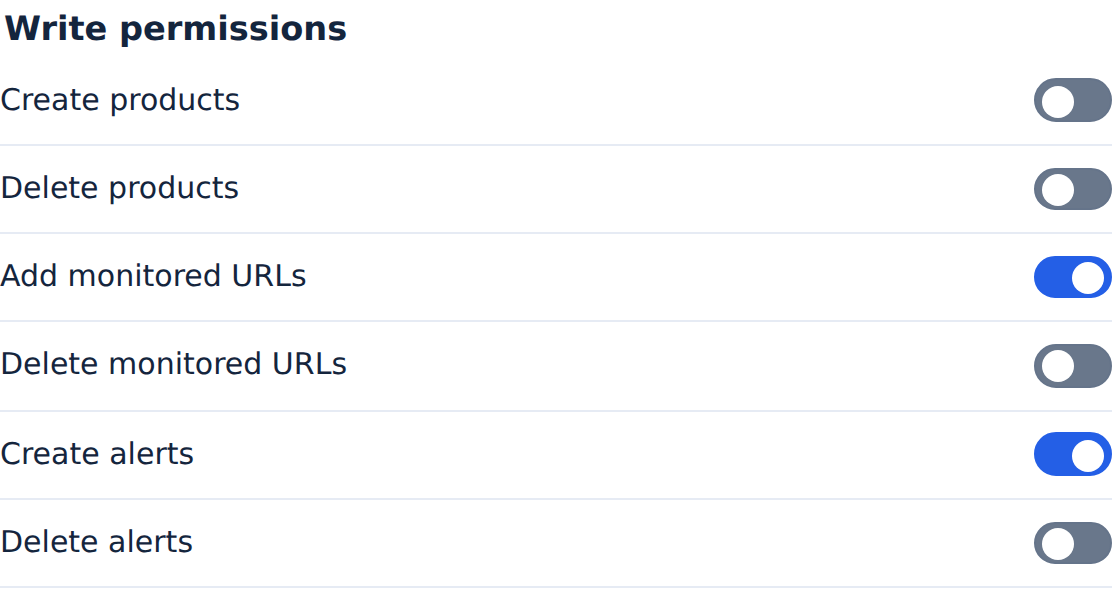
Each agent has its own switches in Settings → AI agents. Write access requires your consent. For an older read-only connection, reconnect with the monitoring:manage scope. You can then turn off any individual action or revoke the whole connection. Deleting a product along with its URLs and their alerts also requires the corresponding deletion permissions.
How many reports can I run?
All agents on the account share one allowance. Each offer comparison, price change query, history query or export page counts as one report. One report can run at a time.
| Plan | MCP requests per minute | Reports per rolling hour | Minimum time between starts |
|---|---|---|---|
| Discovery | 30 | 24 | 15 s |
| Standard | 90 | 60 | 10 s |
| Comfort | 180 | 120 | 6 s |
| Premium | 240 | 240 | 4 s |
For a first check, ask your agent to list five references from your catalog. You can see exactly which records it has access to. Follow the quick start for Claude, Codex or another MCP client.